Crown SVG Files
If you're designing custom apparel, crafting vinyl decals, personalizing home décor, or building branded merchandise, Crown SVG Files offer a versatile, scalable way to add regal flair—without starting from scratch. These vector-based graphics maintain crisp clarity at any size and work seamlessly across cutting machines (like Cricut and Silhouette), design software (Adobe Illustrator, Inkscape, Canva), and print workflows. But not all crown-themed digital files deliver equal value—and misunderstanding what’s included (or how to use it) can waste time, compromise quality, or limit your creative flexibility.
What You’re Really Getting—And Why It Matters
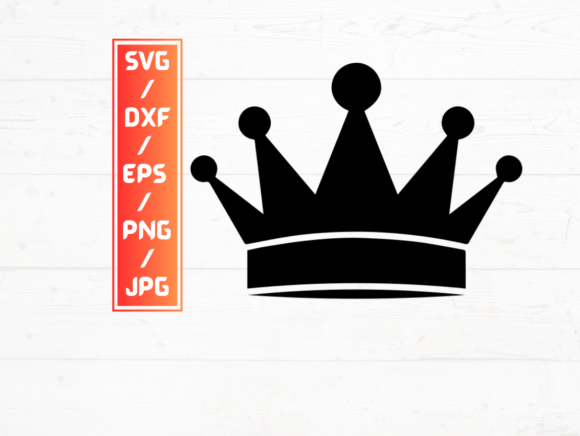
This listing delivers 5 file types—SVG, PNG, DXF, JPG, and EPS—with 15 unique crown designs in each format. That’s 75 total assets, bundled into a single ZIP folder for instant download. No waiting. No shipping. No physical item.
But here’s where confusion often starts: people assume “15 crown designs” means 15 *variations*—like different styles, colors, or orientations. In reality, it means 15 distinct crown motifs (e.g., baroque, minimalist tiara, heraldic crest, floral crown, gothic filigree). Each is available in all five formats—not duplicated across formats, but thoughtfully adapted for their intended use.
For example: SVG and DXF files are optimized for cutting machines (with clean paths and no embedded raster elements). PNGs are high-res (300 dpi) with transparent backgrounds—ideal for overlays, mockups, or web use. JPGs provide lightweight previews or social media thumbnails. EPS files support legacy Adobe workflows and large-format printing. Knowing which format serves which purpose helps you skip unnecessary conversions—or worse, using the wrong file and ending up with jagged edges, missing layers, or uncuttable paths.
Mistake #1: Assuming All Formats Are Equal for Cutting
SVG and DXF both work with most cutting machines—but they aren’t interchangeable. Some Silhouette users report layer misalignment with certain SVGs if the file wasn’t built with compatible grouping. DXF files avoid that by using flat, path-only geometry. If your project requires precise multi-layer cuts (e.g., layered foil transfers or intricate weeding), test the DXF first—even if you usually prefer SVG.
Mistake #2: Using PNGs for Vinyl or Heat Transfer Projects
A sharp 300 dpi PNG looks great on screen—but it’s raster-based. Zoom in too far, and pixels appear. More critically, cutting machines can’t interpret transparency or anti-aliasing the same way they read vector outlines. You’ll get rough edges, inconsistent cut lines, or failed uploads. Save PNGs for digital presentations, watermarks, or social banners—not physical production.
Mistake #3: Overlooking Color Mode and Transparency Handling
JPG files don’t support transparency. So if you open a JPG crown over a colored background and expect it to “drop in” cleanly like the PNG version, you’ll see a white box around the shape. That’s not a flaw—it’s how JPG works. Check your end use: need transparency? Reach for PNG or SVG. Prepping for CMYK offset printing? EPS may give you more reliable color fidelity than JPG or PNG.
Mistake #4: Skipping the ZIP Extraction Step
Some users try to open SVGs directly from the downloaded ZIP—only to see garbled code or an error. SVGs must be extracted first. Same goes for DXF: many machines won’t recognize them inside compressed folders. A quick double-click to extract saves minutes of troubleshooting later.
What to Verify Before You Download—or Deploy
Before adding Crown SVG Files to your cart—or before dropping one into your next project—take 60 seconds to confirm:
- Software compatibility: Does your design platform support EPS natively? (Canva doesn’t; Illustrator does.) Does your cutting machine firmware accept SVG v1.1 or only v2.0? Check release notes—not assumptions.
- Layer structure: Open one SVG in a vector editor. Are strokes grouped logically? Are compound paths simplified? Cluttered layers slow down editing and confuse cut order logic.
- Scale integrity: Resize a crown to 0.25 inches and then to 24 inches. Does it stay sharp? Do anchor points remain smooth? Poorly constructed vectors distort or generate extra nodes at extremes.
- Licensing scope: This is a single-user, commercial-use license—meaning you can sell products featuring these crowns (t-shirts, mugs, stickers), but you can’t resell the files themselves or claim copyright over the designs. Always review the license terms—not just the product title.
Real-World Use Cases—Done Right
A small-batch jewelry maker used the baroque crown SVG to etch a subtle motif onto pendant blanks. She imported the SVG into LightBurn, scaled it precisely to 8 mm, and ran a low-power laser pass—no pixelation, no rework.
A teacher creating classroom reward certificates chose the floral crown PNG. She layered it over a pastel background in Google Slides, confident the transparency preserved her soft aesthetic—no white boxes, no manual erasing.
A freelance logo designer needed a crown element for a boutique bakery’s rebrand. He opened the EPS file in Illustrator, recolored the paths to match the client’s palette, and expanded the strokes to ensure print-safe outlines—no raster fallbacks required.
Final Thought: Clarity Beats Convenience Every Time
Digital files like Crown SVG Files save hours—but only when matched to your tools, goals, and workflow. The convenience of instant download means nothing if you’re using the wrong format for your machine or misreading the licensing limits. Take that extra minute to extract, preview, and verify. Ask yourself: “Which format gives me control—not just speed?” That habit alone separates polished results from frustrating setbacks.
Whether you’re prototyping a new product line, designing lesson materials, or launching a side hustle, treating digital assets as intentional tools—not magic shortcuts—builds consistency, confidence, and long-term efficiency. And that’s the kind of crown every creator deserves to wear.