Palm Tree SVG: A Practical Guide for Designers and Crafters
A Palm Tree SVG is a scalable vector graphic file designed to represent palm tree motifs in digital form—ideal for use in cutting machines, print-on-demand workflows, web design, and digital illustration. Unlike raster images, an SVG retains crisp edges at any size because it’s defined by mathematical paths rather than fixed pixels. This makes a Palm Tree SVG especially useful when you need flexibility across formats and output sizes—from small decals on mugs to large-format vinyl signage or layered Cricut projects.
What Makes a Palm Tree SVG Distinct from Other Formats?
The core distinction lies in scalability and editability. An SVG file can be opened and modified in vector editors like Adobe Illustrator, Inkscape, or even browser-based tools, allowing users to adjust stroke weight, color, node placement, or grouping without quality loss. Compare that to a JPG or PNG: those are pixel-based and degrade when enlarged. Even high-resolution 300 dpi PNGs—while excellent for printing—can’t be resized beyond their native dimensions without visible blurring or pixelation.
DXF files (also included in many Palm Tree SVG bundles) serve a similar role for CAD and CNC workflows but lack native support for color fills and gradients. EPS files offer broad compatibility with older design software but are largely legacy formats—less intuitive to edit than modern SVGs. JPGs and PNGs remain essential for web display and mockups, but they’re output-only assets, not working files.
When Does a Palm Tree SVG Fit Your Workflow Best?
A Palm Tree SVG shines in scenarios where precision, adaptability, and multi-platform reuse matter. If you're using a Silhouette Cameo, Cricut Maker, or Brother ScanNCut, the SVG format integrates seamlessly—supporting layers, cut lines, score lines, and color-coded operations. You can isolate fronds, trunks, or coconuts as separate elements and rearrange them for custom compositions.
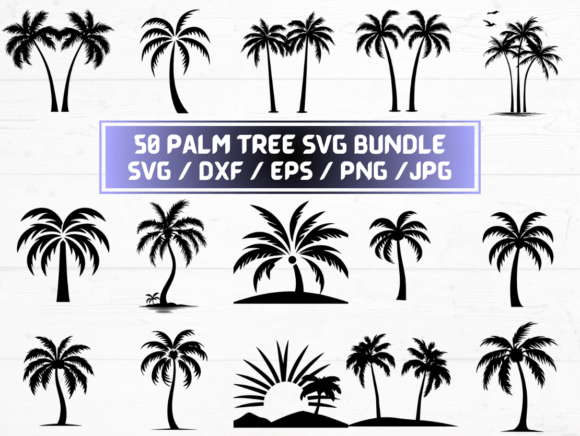
For print-on-demand sellers, having both SVG and transparent-background PNGs means one set of artwork serves two purposes: vector files for cutting stencils or heat-transfer vinyl, and raster files for uploading to platforms like Redbubble or Printful—where SVG uploads aren’t accepted. The inclusion of 50 distinct Palm Tree SVG designs (alongside matching DXF, EPS, JPG, and PNG variants) gives users breadth without needing to source multiple vendors or convert files manually.
Tradeoffs to Consider Before Choosing a Palm Tree SVG Bundle
While versatility is a strength, it’s not universal. SVG files don’t embed fonts or complex effects like drop shadows or blur filters unless those are converted to outlines or rasterized—a step that must be done deliberately. Some Palm Tree SVG collections include stylized, decorative palms with intricate leaf patterns; others prioritize clean, minimal silhouettes optimized for cutting. Knowing your end use helps narrow which style suits your needs.
Also worth noting: not all SVGs are built equally. Poorly constructed files may contain overlapping paths, ungrouped elements, or inconsistent stroke/fill assignments—leading to unexpected behavior in cutting software. Reputable Palm Tree SVG packages often include organized layers, named groups, and tested cut-ready paths. If you're new to vector editing, look for bundles that include usage notes or basic tutorials—not just raw files.
How It Compares Across Common Use Cases
Crafting & Vinyl Cutting: SVG and DXF lead here. SVG supports more visual attributes (like fill colors), while DXF ensures compatibility with industrial CNC tools. JPG and PNG won’t work directly in most cutting software unless traced—an extra step that risks fidelity loss.
Web & Social Media Graphics: PNG and JPG excel. Transparent-background PNGs render cleanly over varied page backgrounds, and compressed JPGs load quickly. SVGs *can* be used on websites, but only if properly optimized and supported by your CMS or theme—otherwise, fallbacks or conversion may be needed.
Embroidery & Digitizing: None of these formats translate directly to embroidery files (.pes, .dst, etc.). A Palm Tree SVG would need to be imported into digitizing software first—so while it’s a starting point, it’s not plug-and-play for machine embroidery.
Large-Format Printing (Banners, Murals): SVG and EPS hold up best. At poster-size dimensions, a 300 dpi PNG may appear sharp—but only if its original pixel dimensions were sufficient. A 2000×2000 px PNG stretched to 48 inches wide will likely show softness. An SVG scales infinitely, preserving clarity.
Realistic Examples of Where Palm Tree SVG Adds Value
- A small business owner creating tropical-themed stickers for Etsy orders uses the SVG files to resize palm silhouettes for 2-inch die-cut labels and 6-inch window decals—without re-exporting or losing edge definition.
- A teacher designing classroom decor imports the EPS version into Microsoft PowerPoint (which supports EPS embedding) to build a beach-themed bulletin board layout, then exports slides as high-res PDFs for printing.
- A freelance designer building a client’s resort website uses the PNGs for hero section imagery and pulls the SVG into Figma to animate individual palm fronds with subtle motion—something impossible with static raster files.
Limits and Situations Where Palm Tree SVG May Not Be the Best Choice
If your goal is photorealism—say, a palm tree with detailed bark texture, dappled light, or realistic foliage shading—an SVG alone won’t deliver that depth. Vector graphics excel at clean shapes and flat color areas, not nuanced tonal gradation. In those cases, a high-resolution JPG or PNG sourced from photography or digital painting would be more appropriate—even if it sacrifices scalability.
Similarly, if you're working exclusively in non-vector environments—like Canva’s free tier (which doesn’t support SVG upload) or basic word processors—you’ll rely more heavily on the included PNG and JPG files. The SVG remains valuable for future flexibility, but not immediate usability in every tool.
And while 50 designs offer variety, they reflect a specific aesthetic direction—typically stylized, decorative, or silhouette-based. If you need botanical accuracy (e.g., distinguishing between coconut, date, or fan palms), or require editable botanical labels or scientific annotations, a general Palm Tree SVG bundle may not meet those specialized needs without additional customization.
Making an Informed Decision
Choosing whether a Palm Tree SVG bundle suits your needs depends less on format preference and more on workflow alignment. Ask yourself:
- Do I regularly scale designs across multiple output sizes or mediums?
- Do I use cutting machines or vector-based design tools?
- Do I need both editable source files and ready-to-use raster versions?
- Is consistency across file types important—for example, ensuring the same palm shape appears identically in a vinyl decal (SVG) and a product mockup (PNG)?
If most answers are “yes,” then a well-structured Palm Tree SVG collection—especially one with matched DXF, EPS, JPG, and PNG variants—offers practical efficiency. But if your work leans heavily toward photo integration, real-time collaboration in non-vector tools, or highly specialized botanical representation, you may need to supplement or prioritize other resources alongside the Palm Tree SVG files.
Ultimately, a Palm Tree SVG isn’t a standalone solution—it’s one component in a broader creative toolkit. Its value emerges not from novelty, but from thoughtful integration: supporting repeatability, reducing manual conversion steps, and maintaining fidelity across evolving project requirements.